Git Rebase: Streamline Your Commit History
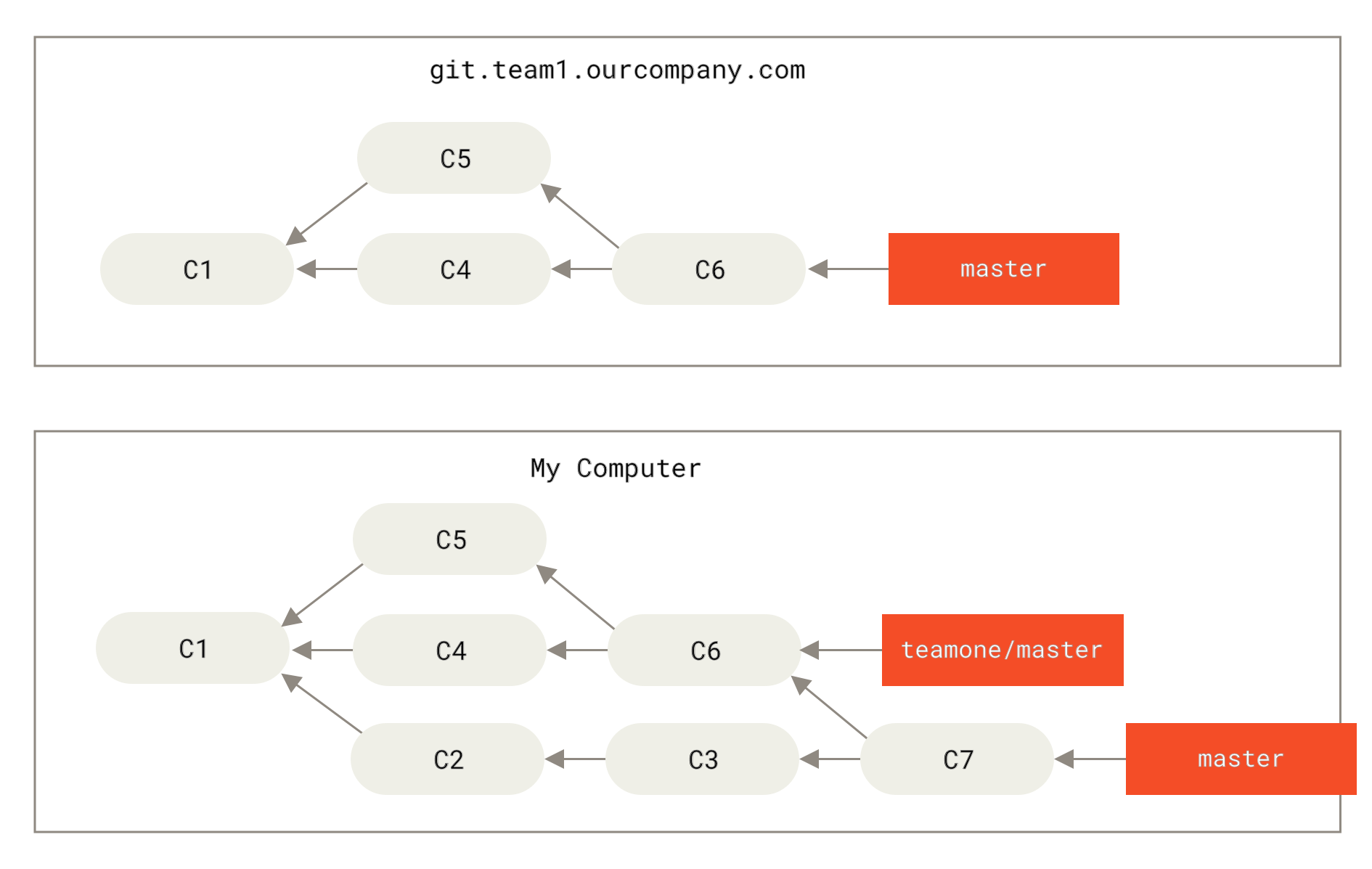
The most common reason to use git rebase is to maintain a clean and readable commit history. Unlike git merge, which preserves the complete history, including the context of branch development by creating a merge commit, git rebase integrates changes by reapplying commits, avoiding superfluous merge commits. This results in a streamlined sequence of commits. While merging tells the full story (sometimes messy), rebasing helps edit that story into a cleaner, more readable format, especially useful for local branches before sharing . For syncing a feature branch with main before a pull request, git rebase is often the best choice .
Basic Git Rebase with Real-World Context
Imagine you are working on a feature branch for a CI/CD pipeline enhancement while the main branch receives critical security updates. Keeping your branch updated is crucial for testing against the latest code.
# Start on main branch
git checkout main
# Create and switch to a new feature branch
git checkout -b feature/ci-pipeline-opt
# Make initial commits for pipeline optimization
echo "stage('Build') { ... }" > Jenkinsfile
git add Jenkinsfile
git commit -m "Add initial pipeline build stage"
echo "stage('Test') { sh 'pytest' }" >> Jenkinsfile
git add Jenkinsfile
git commit -m "Add test stage with pytest"
Meanwhile, a critical security patch is applied to main:
# On main branch, simulate a colleague's critical fix
git checkout main
echo "security: update base image to v1.2.3" > SECURITY.md
git add SECURITY.md
git commit -m "Fix critical security vulnerability in base image"
Your feature/ci-pipeline-opt branch is now behind main. To integrate the latest changes from main using rebase:
# Switch to your feature branch
git checkout feature/ci-pipeline-opt
# Rebase your branch onto the current state of main
git rebase main
Git will:
- Temporarily remove your
feature/ci-pipeline-optcommits. - Apply the new commits from
main(the security fix). - Re-apply (replay) your
feature/ci-pipeline-optcommits on top of the updatedmain.
Your history now appears linear, as if you developed your pipeline changes after the security fix was applied, ensuring your changes are tested against the secure base .
Interactive Rebase: Power User Tool for DevOps
For even greater control, use interactive rebase (git rebase -i). This is invaluable for cleaning up your commit history before creating a pull request, a common practice in DevOps workflows to ensure clear and meaningful change logs . You can reorder, edit, squash, or reword commits.
To interactively rebase the last 3 commits on your current branch:
git rebase -i HEAD~3
This command opens your default text editor, listing the last three commits:
pick abc1234 Add initial pipeline build stage
pick def5678 Add test stage with pytest
pick ghi9012 Fix indentation in Jenkinsfile
You can now modify these commands:
reword(orr): Change the commit message for clarity.edit(ore): Pause the rebase to amend the commit (e.g., add a missing file).squash(ors): Combine this commit's changes with the previous commit, prompting for a new message.fixup(orf): Likesquash, but discard this commit's message, using the previous commit's message.drop(ord): Remove this commit entirely.
Example: Squashing for a Coherent Pull Request You want to present a single, well-documented change for your pipeline enhancement. Change the file to:
pick abc1234 Add initial pipeline build stage
squash def5678 Add test stage with pytest
fixup ghi9012 Fix indentation in Jenkinsfile
Save and close the editor. Git will combine the changes. For squash, it will open the editor again to let you write a new combined commit message like "feat(ci): implement build and test stages for Python app". For fixup, it will automatically use the message from the first commit (pick), discarding the typo fix message.
Best Practices and Pitfalls in a DevOps Environment
While powerful, git rebase requires caution, especially in collaborative environments:
- Never Rebase Public/Shared Branches: Avoid rebasing commits that have already been pushed to a shared repository. Rebasing rewrites history, which can cause significant confusion and problems for collaborators who have based their work on the original commits, potentially leading to lost work or complex conflicts . GitLab documentation explicitly warns that
git rebaserewrites commit history and can be harmful on shared branches . - Use on Local Branches: Interactive rebase is best suited for cleaning up your local feature branches before merging them into the main codebase . As a general rule, never rebase shared branches; prefer merging in these scenarios .
- Resolve Conflicts Carefully: If conflicts arise during a rebase, resolve them in your working directory, then use
git add <file>andgit rebase --continueto proceed. Ensure you understand the context of the conflict to avoid incomplete resolution. - Communicate: If you must rebase a shared branch (e.g., your own feature branch that others might be reviewing), communicate this clearly to your team. Force pushing after a rebase can make code reviews harder and lead to lost work .
- Sync Regularly: To minimize conflicts, regularly update your feature branch with changes from the base branch (e.g.,
main) usinggit rebase.
Conclusion
In summary, git rebase is a powerful tool for maintaining a clean and organized project history by replaying commits onto a different base, a practice often encouraged for DevOps engineers to streamline their workflow . Use it wisely, primarily on private branches, to create a more coherent narrative of your development process before sharing your work. Remember, merge preserves the history as it happened, while rebase creates a cleaner story, but the choice depends on your team's collaboration needs and branch policies .
 Twitter